

FusionHub News - One

FusionHub News
Greetings FusionHub Community,
Klaus here from Xikaku / LP-Research. I’ve decided to start this newsletter specifically for FusionHub to share updates and news. I’ll send those at irregular intervals, depending on how we’re progressing with adding new features and fixing issues.
Some terminology first. The overall FusionHub solution actually consists of two components:
- The FusionHub application itself that runs on a user’s computer and does all the real-time calculations.
- The Susi (Tagalog for “key”) backend that runs on LP-Research’s server and does all the license, user workspace and documentation administration.
A note on data security: We do daily AES-256-GCM encrypted backups of all data stored on Susi to an external server. All user secrets inside the Susi database are encrypted. Susi complies with OWASP ASVS Level 1 and GDPR requirements.
Ticketing System
The first new feature I’d like to share is only indirectly related to the FusionHub core application. “Due to popular demand” - we’ve created the option for users to open tickets in Susi to flag issues and send feedback to the developers so that we know what parts of the application we can improve.
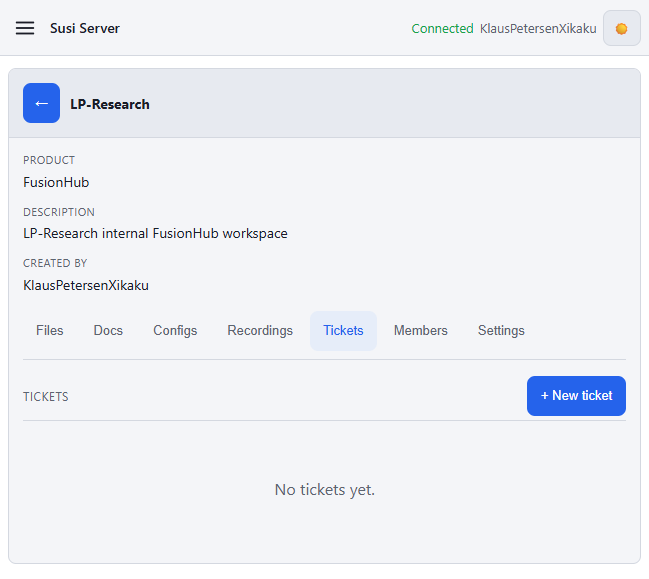
You can create a new ticket or see existing tickets by going to your workspace in Susi and selecting the Tickets tab:
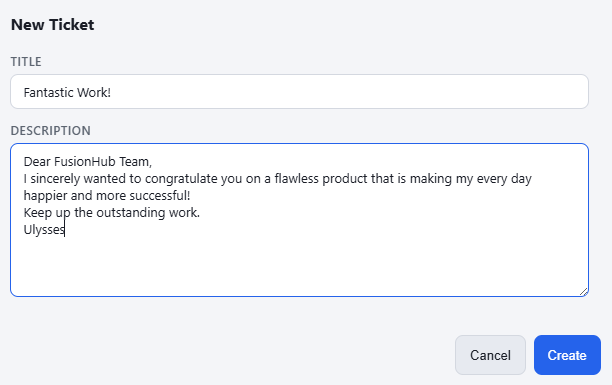
Pressing New ticket opens a dialog to write a ticket. Feel free to use my example content as a template :)
Any workspace member can open existing workspace tickets and add comments.
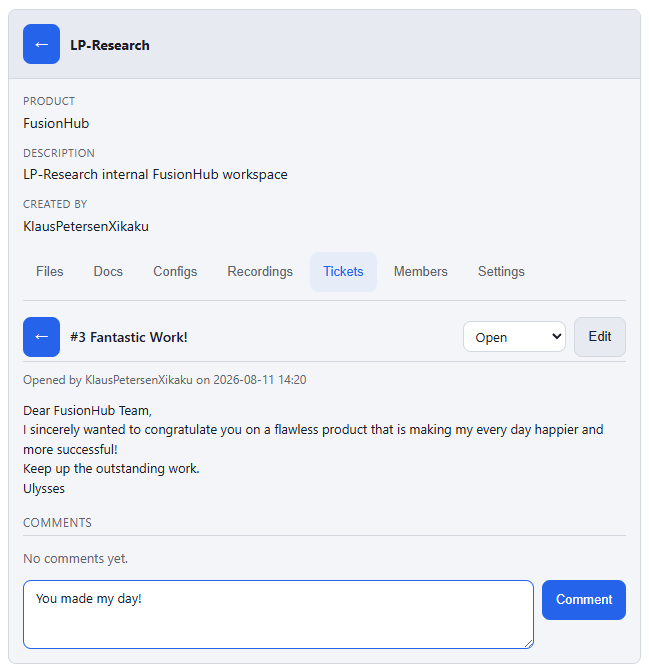
Tickets created in a workspace can only be seen by members of that specific workspace, they’re invisible to other users. We’re keeping the ticketing system as simple as possible right now to see how well this works and if the community uses this feature at all.
At the moment tickets can only be created in the Susi backend, you’ll need to be online and log in. In the future we’re planning to add this as a separate feedback page to FusionHub itself, so you can send us a note immediately when you discover a problem.
Vision Pro Overlay Accuracy and In-Vehicle Fun
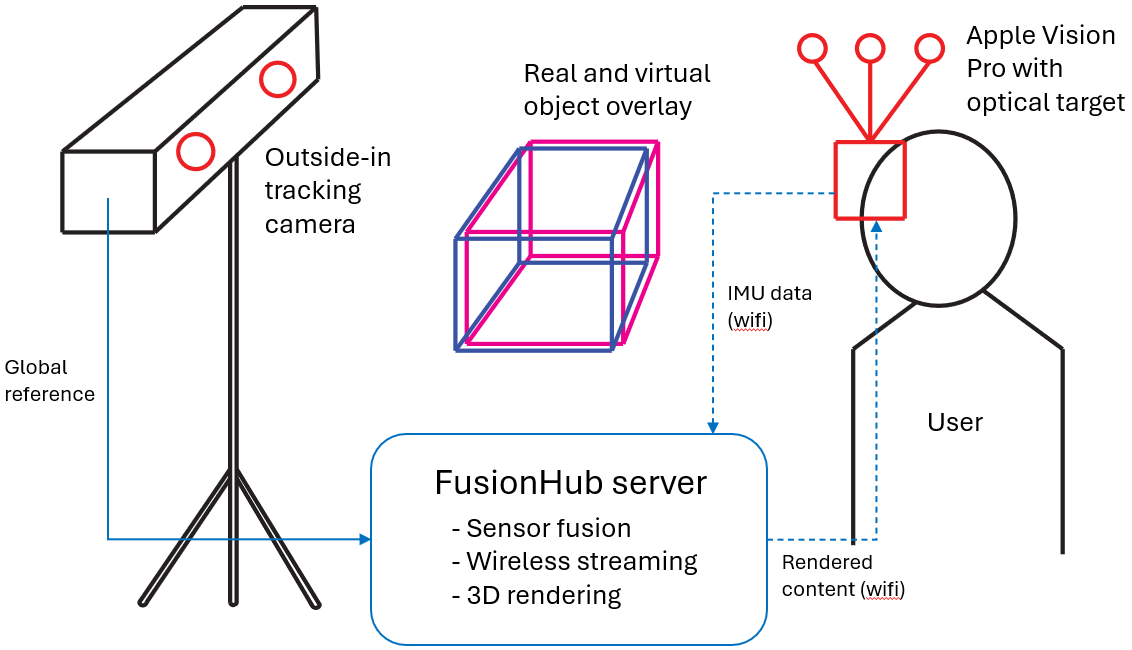
I did a few experiments to find out how well the mixed reality overlay works when we measure the headset pose using ART outside-in tracking. The results look quite good, the performance is comparable to the Varjo XR-4.
Have a look at a video of the experiment here.
See the full blog post here. For a comparison with Varjo tracking check this video.
In spite of all the advantages of outside-in tracking (multi-user, multiple props, near-perfect repeatability, works in dark spaces etc.), in some cases there’s a difference in visual stability between the built-in, native inside-out tracking of these headsets and what we’re measuring with ART’s DTrack. I’m still not quite sure if this is a problem of the OST calibration of the headset (some further considerations here), or if there actually is some kind of scaling issue in the optical tracking. As we have no access to how these headsets actually process their video pass-through data, it’s hard to draw any reliable conclusions for this problem. All we can do from our side is to guarantee that the accuracy and integrity of the pose data is good (sub-mm and sub-degree pose accuracy).
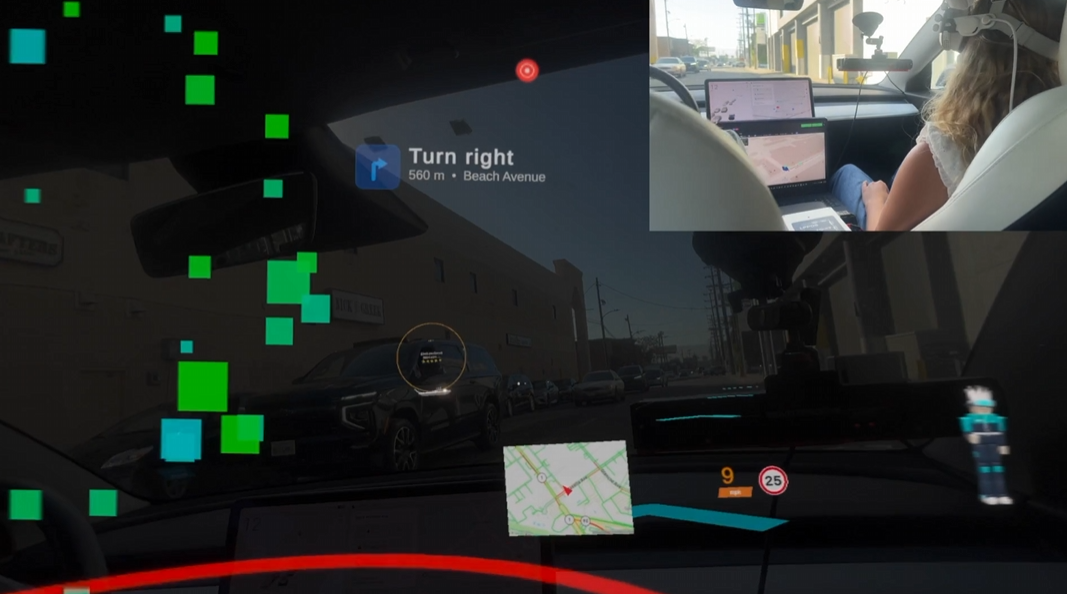
In more fun news, we were able to make the Vision Pro work in our Tesla Model 3 while driving, enabling the LPVIZ functionality that so far we had primarily demoed with the Xreal Air 2 Ultra HMD. See some of our older work here.
See the full video here.
But wait, there’s more! We recently started a collaboration with enterprise streaming company Hololight. More news on this one soon.
AI Tooling aka Clippy is Back!
Some of the filter nodes in FusionHub are quite complicated. For example the full vehicle fusion filter node has tens of parameters and sometimes even for the developers of the filter it’s hard to adjust them to get the best results. For this reason we started experimenting with giving an LLM full access to the node graph, the parameters of the nodes, the data in the graph and - importantly - the full documentation of all nodes.
In the AI Tool page we added a chat window where users can ask questions about their current setup to the LLM, and the LLM can give suggestions or - if allowed - even manipulate the node graph by itself.
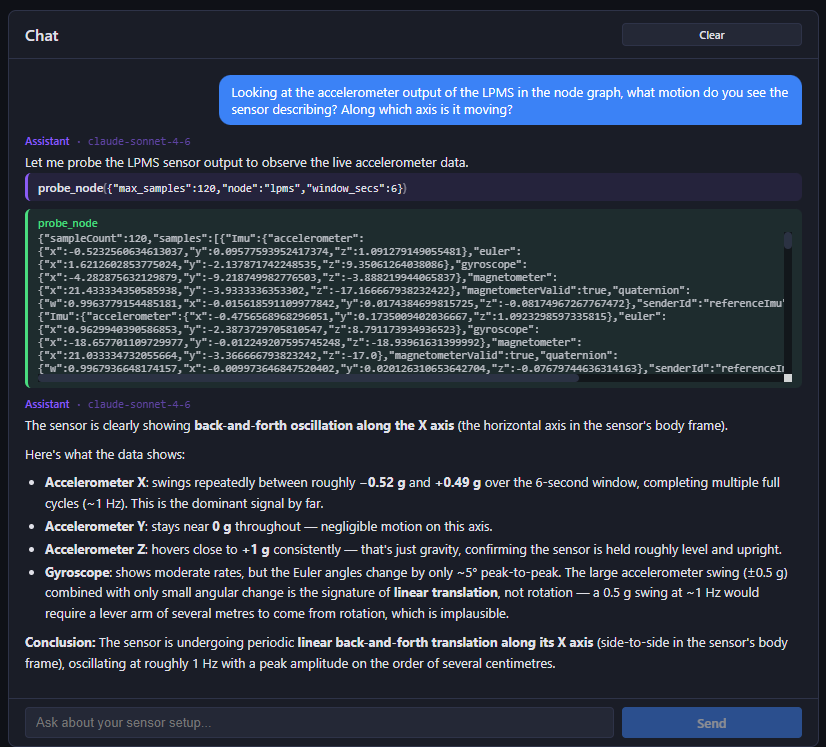
This does work quite well and I recommend trying this out. It’s not perfect, but it can make parameter optimization or data analysis much easier.
I wrote a full blog post about a simple data analysis experiment I recently did here.
Note that - in case you activate the AI tool - the LLM might process parts of your live sensor data, so if you’re processing sensitive information I recommend using a self-hosted LLM. We will work more in this direction in the future as the combination of recent AI advances and existing sensor / data analysis technology is opening up a whole new field of applications in industrial automation and robotics.
Comments and Feedback Welcome
So far so good for today’s newsletter. Always happy about feedback, let me know here or write a ticket!
Happy engineering - Klaus and Team at LP-Research / Xikaku