

Mixed Reality with FusionHub and Vision Pro
Mixed reality scenarios for defence and industrial applications are a major driver of augmented reality headset (HMD) innovation. Two HMDs have found strong adoption in these fields, the Varjo XR-4 and the Apple Vision Pro. While both headsets have a range of advantages, an important aspect for some scenarios is that the Vision Pro HMD works wirelessly. In this article we focus on how we connect the Vision Pro to our FusionHub platform, and compare its mixed reality performance to the Varjo XR-4.
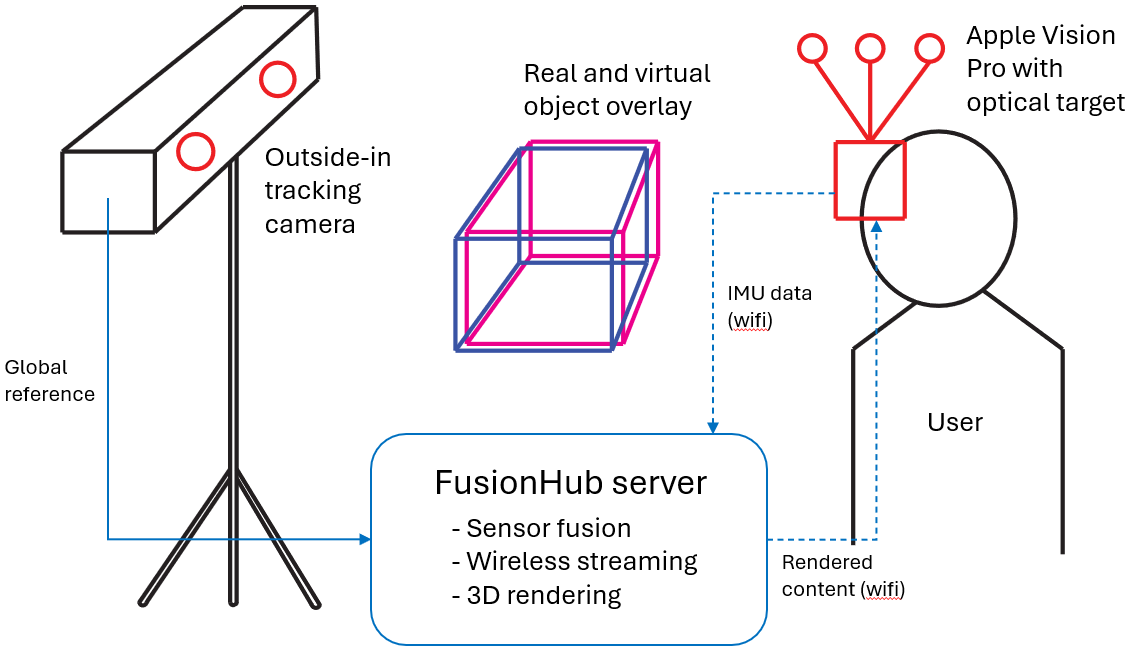
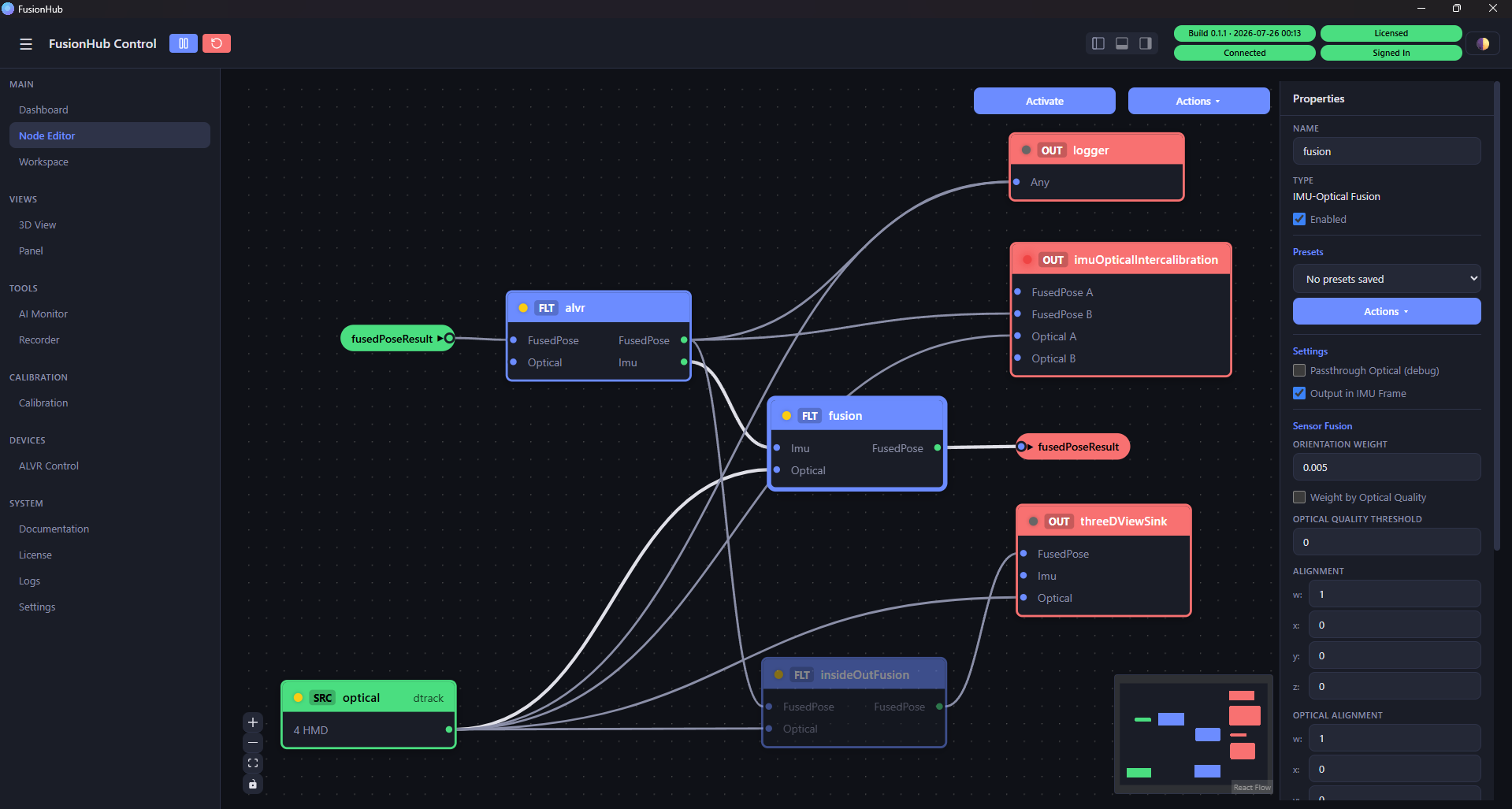
Let’s have a look how we connect the Vision Pro to FusionHub first. In our tracking setup we globally reference high frequency relative pose data calculated from angular velocities and accelerations on the Vision Pro by low frequency outside-in camera data (ART Smarttrack 3). Sensor data is sent from the HMD to a rendering workstation, processed and the rendered images transmitted back to the headset for displaying. The image below shows a typical FusionHub node graph for this purpose.
The global referencing allows us to display objects relative to a fixed, clearly defined coordinate system, which is especially important for multi-user scenarios and overlaying real objects with virtual content. The video below shows the pose stability of a virtual cube projected onto a desk. A simple test that establishes correlation between real and virtual objects down to single digit milimeter scale.
Building on top of our experience using the Vision Pro in stationary mixed reality applications we created a scenario to use the headset inside a car while the vehicle is moving.
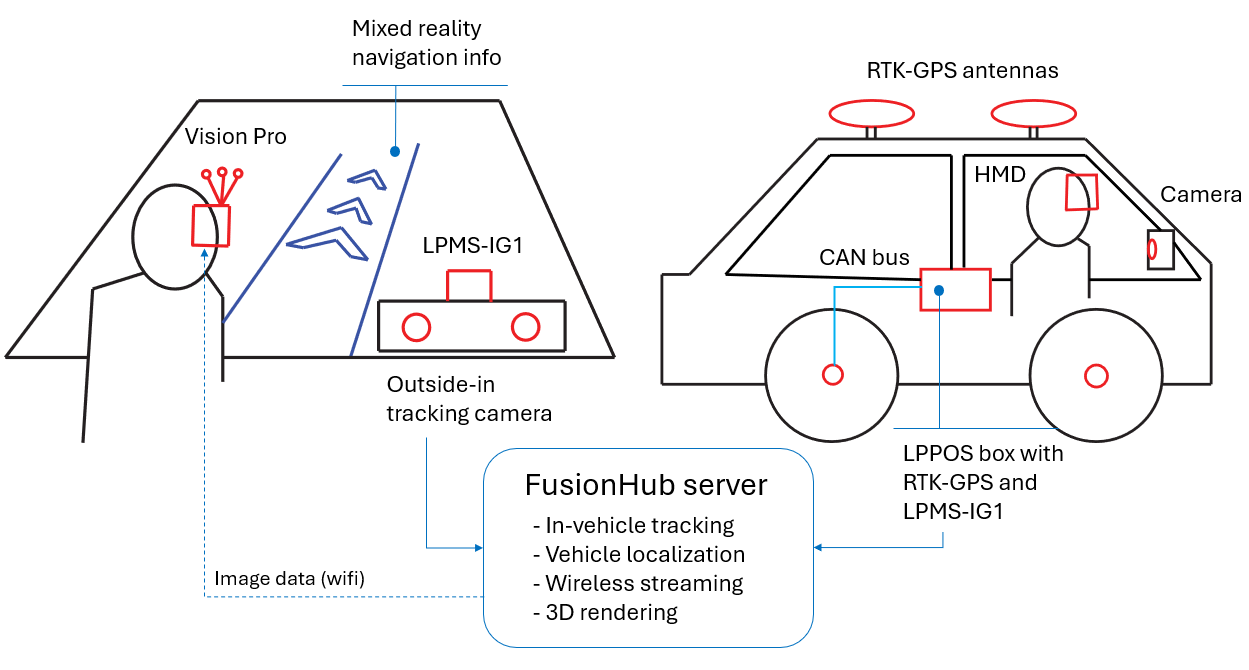
This system consists of two separate tracking systems that in combination create an immersive experience where we can display content stationary to the car’s cockpit as well as globally (ie. the outside world) anchored objects. While the tracking inside the car works similarly to our stationary solution we described above, the vehicle localization fuses RTK-GPS, vehicle odometry and IMU data to calculate cm-level accurate, high framerate position data.
The video shows virtual heads-up display scenario inside a car. Fixed to the cockpit are a mini-map and an AI assistant. Outside of the car, projected onto the street the driver can see navigation information as well as further environment information, such as close-by landmarks and points-of-interest. This presents an interesting angle on how a visualization system based on FusionHub and Vision Pro can be used for future mobility concepts, automotive design prototyping and HMI studies.