

FusionHub
Real-time sensor fusion for autonomous machines - on the vehicle, on the vessel, and at the edge.
Check our latest feature about physical AI with FusionHub!
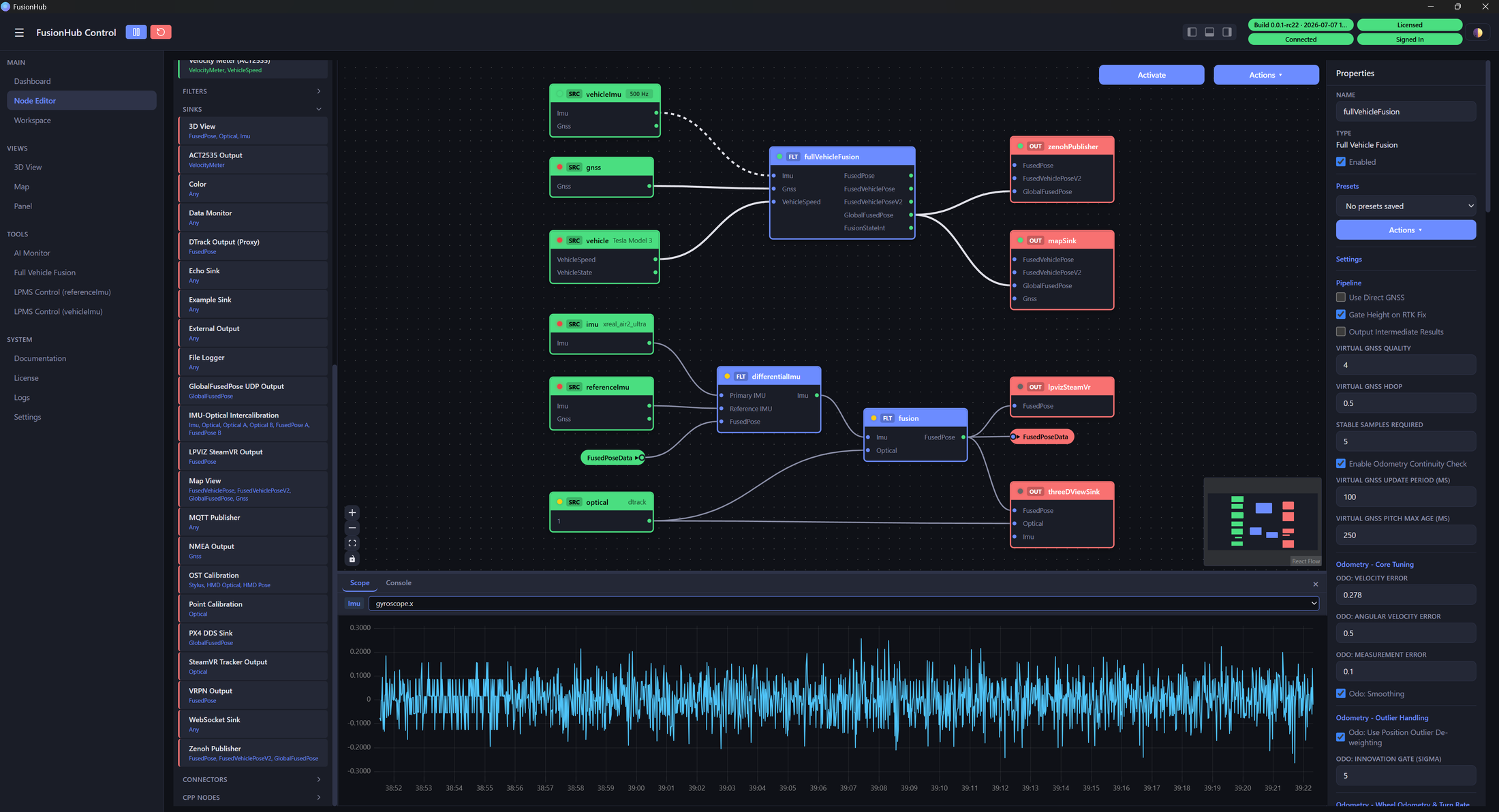
FusionHub is Xikaku’s sensor-fusion engine. It connects to IMUs, GNSS/RTK receivers, wheel odometry, and optical trackers, fuses them through a collection of highly optimized real-time filters, and outputs continuous, low-latency pose, motion and navigation data.
One engine covers ground vehicles and AGVs, aerial platforms, vessels, mocap stages and AR/VR headsets. It runs as a single native binary on Windows, Mac and Linux, on the desktop or headless at the edge, and embeds into your own software over a plugin API, TCP/IP or UDP.
Instead of hand-wiring GPS drivers, IMU filters, odometry math and protocol converters, you get one configurable engine:
- Standard sensors and protocols - first-party integrations, no custom drivers to write.
- Field-tested fusion - IMU-optical, GNSS-IMU, odometry-IMU, differential IMU, COG-referenced heading and more.
- Ready-made outputs - ROS 2, NMEA, MQTT, VRPN, DDS and WebSocket.
- Deploy anywhere - Windows, Mac or Linux, GUI or headless, embeddable via C FFI, licensed per feature.
Build Pipelines Visually
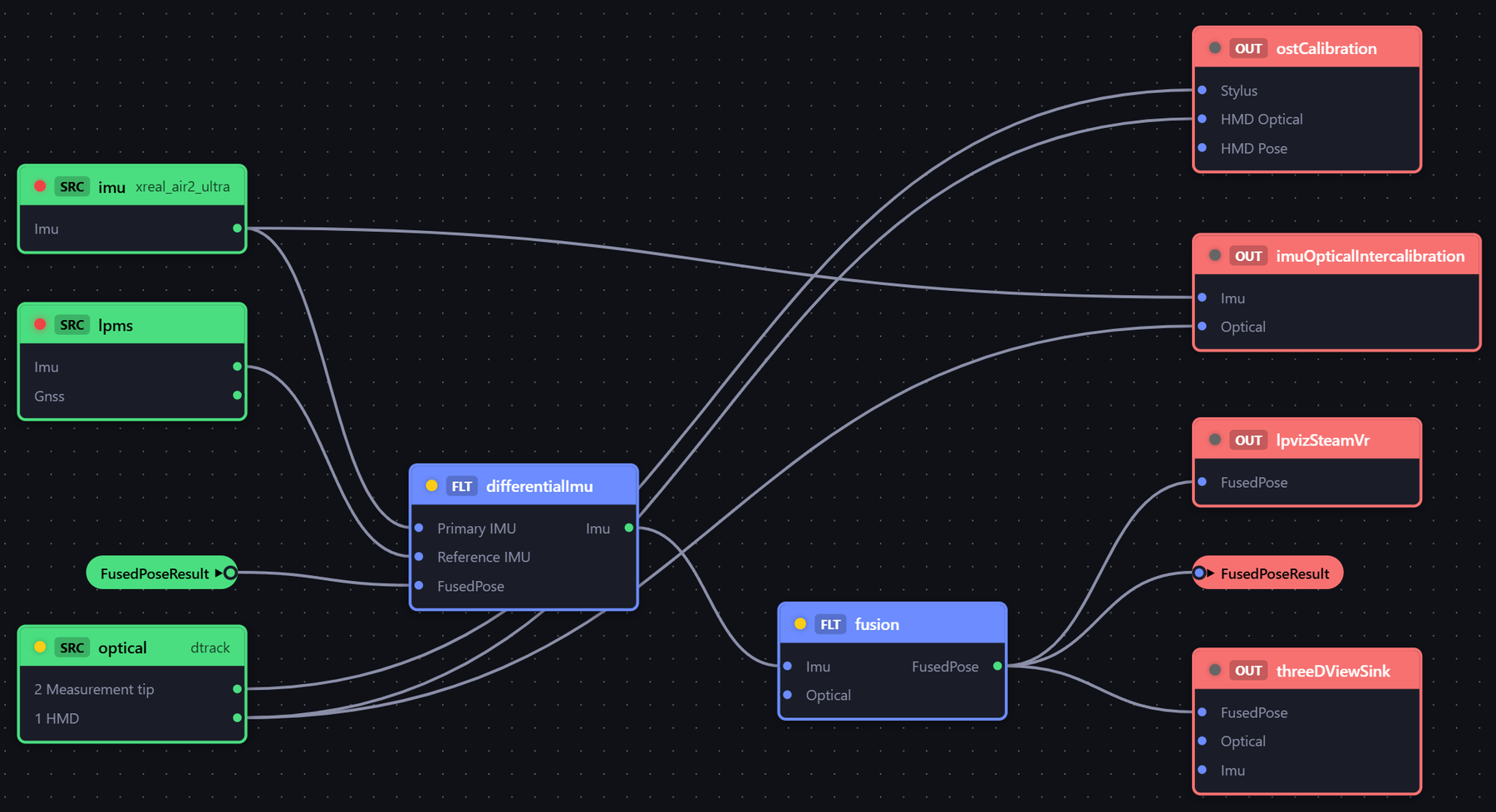
A pipeline is a graph of sources, filters and sinks, wired in a browser-based editor and hot-reloaded without restarting the engine. Typed ports validate connections as you wire them, property panels are generated from each node’s metadata, and a built-in oscilloscope shows live data on any link.
Fusion Filters
Each filter is tuned for real-world noise, dropout-robustness and latency:
- GNSS + IMU - a 20-state UKF fusing RTK GNSS with the IMU, with online bias and antenna-offset estimation, dual-antenna heading, and coasting through brief GNSS dropouts.
- Odometry + IMU - wheel-speed dead reckoning corrected by GNSS, for accurate coasting through tunnels, garages and indoor aisles, with online wheel-scale and gyro-bias estimation.
- Full Vehicle Fusion - both stages combined: RTK accuracy plus odometry-guided coasting through long outages, in one node.
- Marine Heading - tilt-compensated magnetic heading with continuous, GPS-assisted calibration; it learns hard/soft-iron offsets and compass deviation characteristics under way.
- IMU + Optical - 6-DoF pose with automatic IMU-to-optical intercalibration, for stable tracking under vibration. Optionally with a differential pre-stage for in-vehicle tracking.
First-class LPMS Support
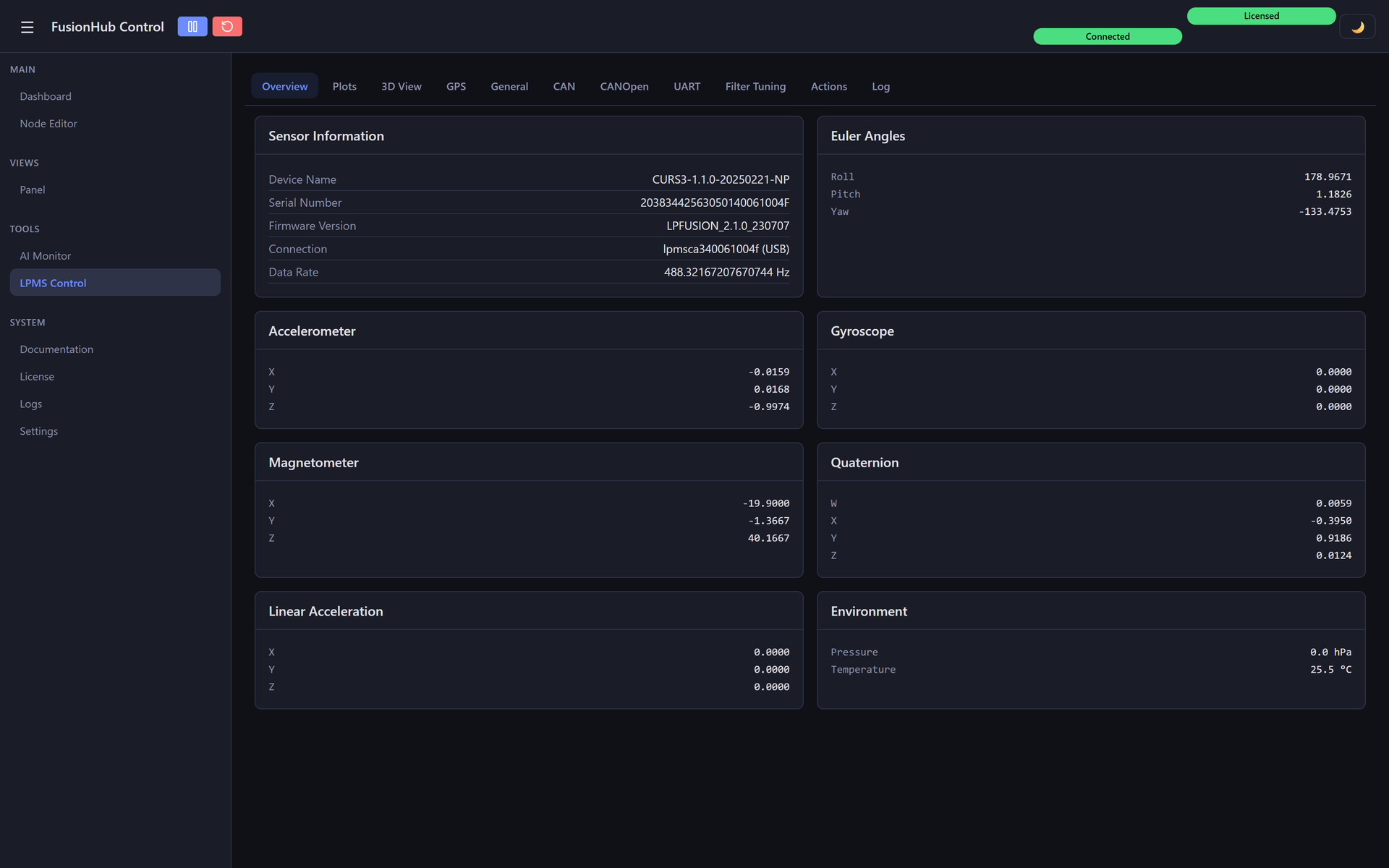
LP-Research’s own LPMS sensors are first-class citizens in FusionHub. The LPMS-IG1 and IG1P - 9-axis IMU/AHRS units, with integrated GPS and RTK on the IG1P - are the reference inertial sources for its fusion pipelines. A dedicated LPMS Control page connects over USB, CAN or serial and lets you monitor every signal live, configure the sensor, calibrate it, and tune its on-device filter, without leaving FusionHub.
AI Interface
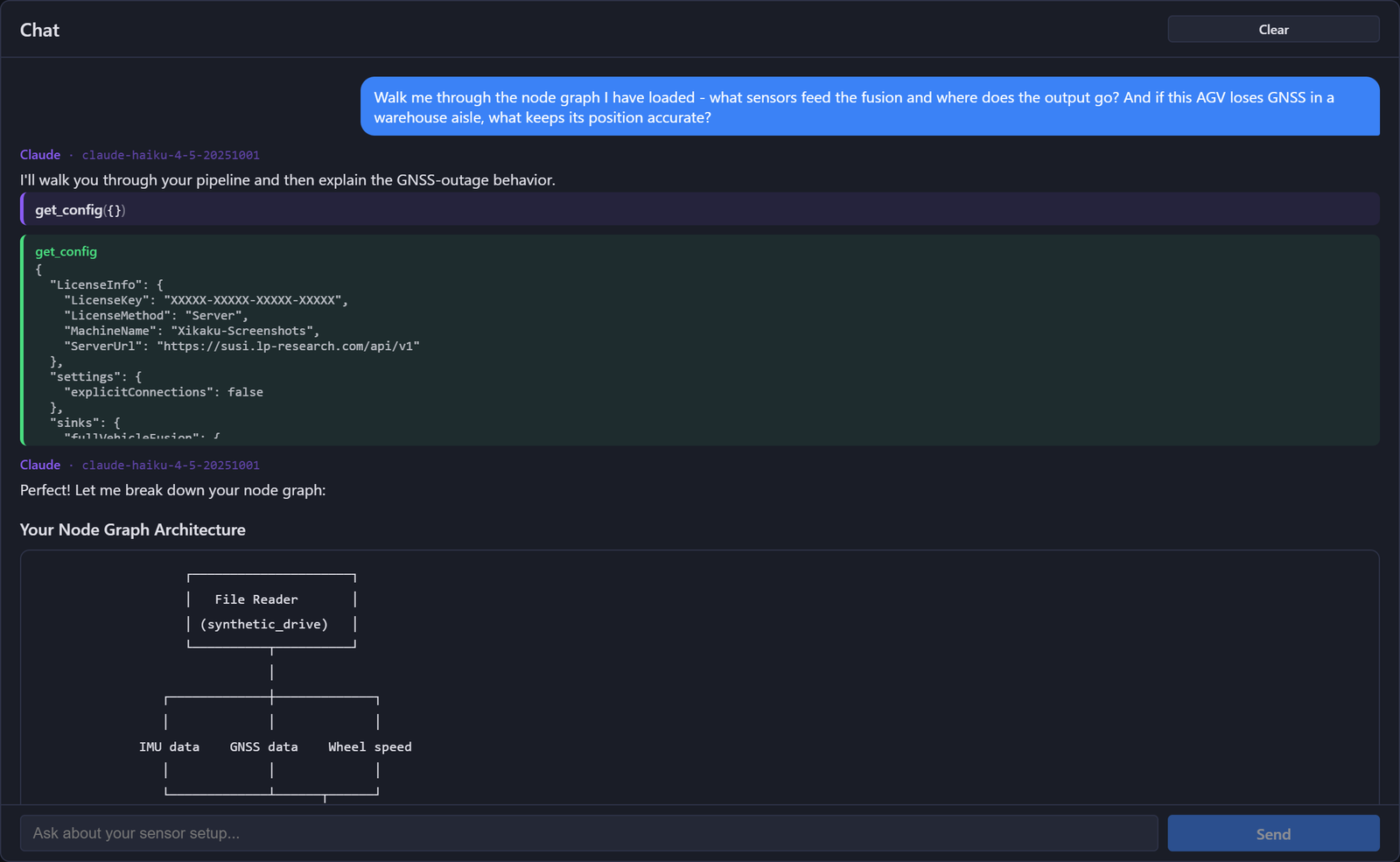
FusionHub exposes fused pose, motion and navigation state over a built-in Model Context Protocol (MCP) server, so language models and agents can read live ground truth and act on it. The AI Monitor extension, powered by Claude, watches running pipelines for anomalies and answers questions about your setup in plain language, inspecting the live node graph to explain the pipeline and how it handles sensor dropouts.
Mobile Robotics and AGVs
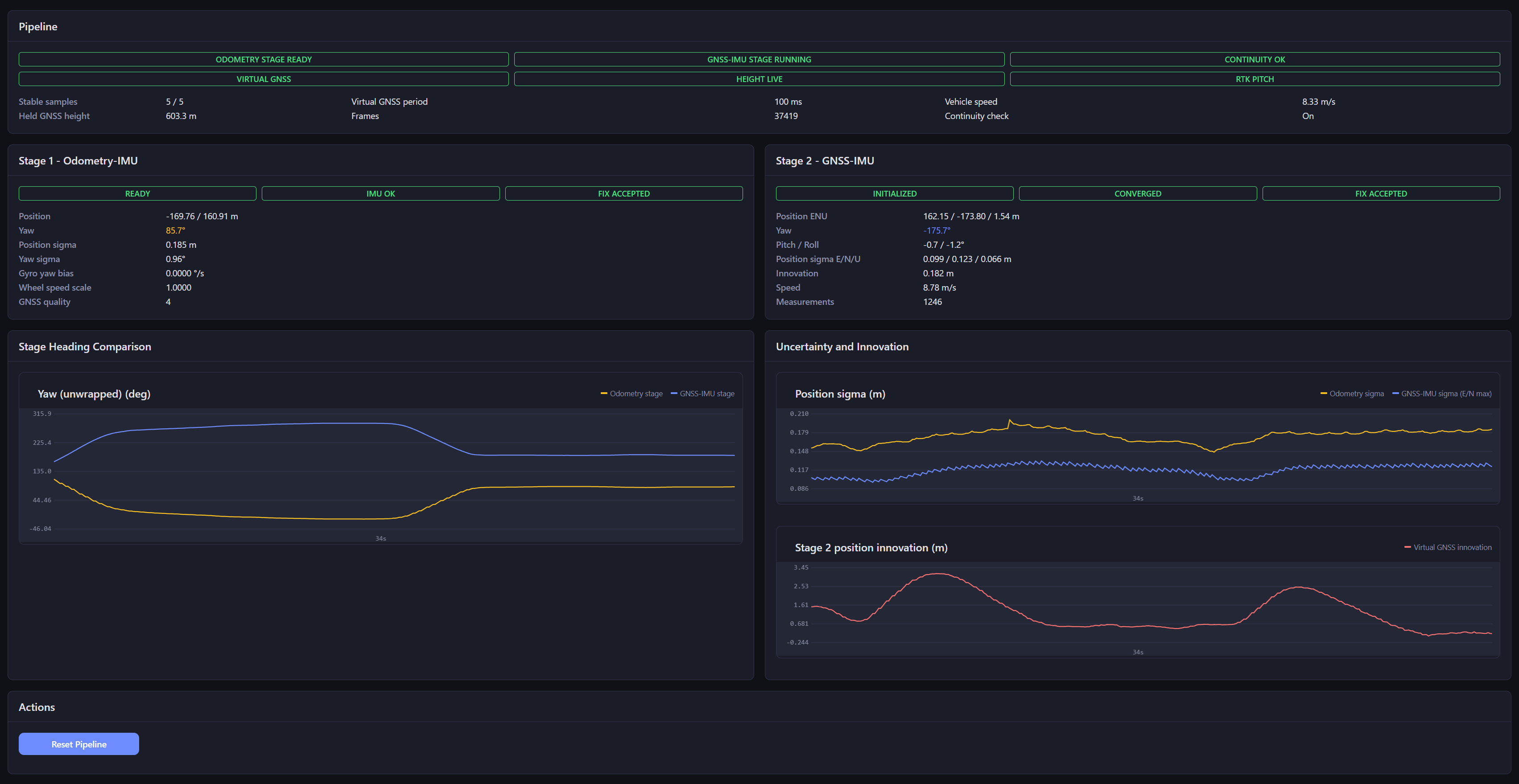
For ground robots, AGVs and aerial platforms, FusionHub fuses RTK GNSS, an IMU and wheel odometry into one continuous pose, and dead-reckons through tunnels, aisles and building shadows until RTK returns. The result goes straight to a user application via TCP/IP, UDP, NMEA, MQTT and a live map. LP-Research IMUs stream natively; PEAK and Vector CAN interfaces, OBD-II and non-contact velocity meters cover the vehicle side.
A status page shows both fusion stages, RTK fix state, per-stage position and heading, and filter convergence in real time.
Maritime and Autonomous Vessels
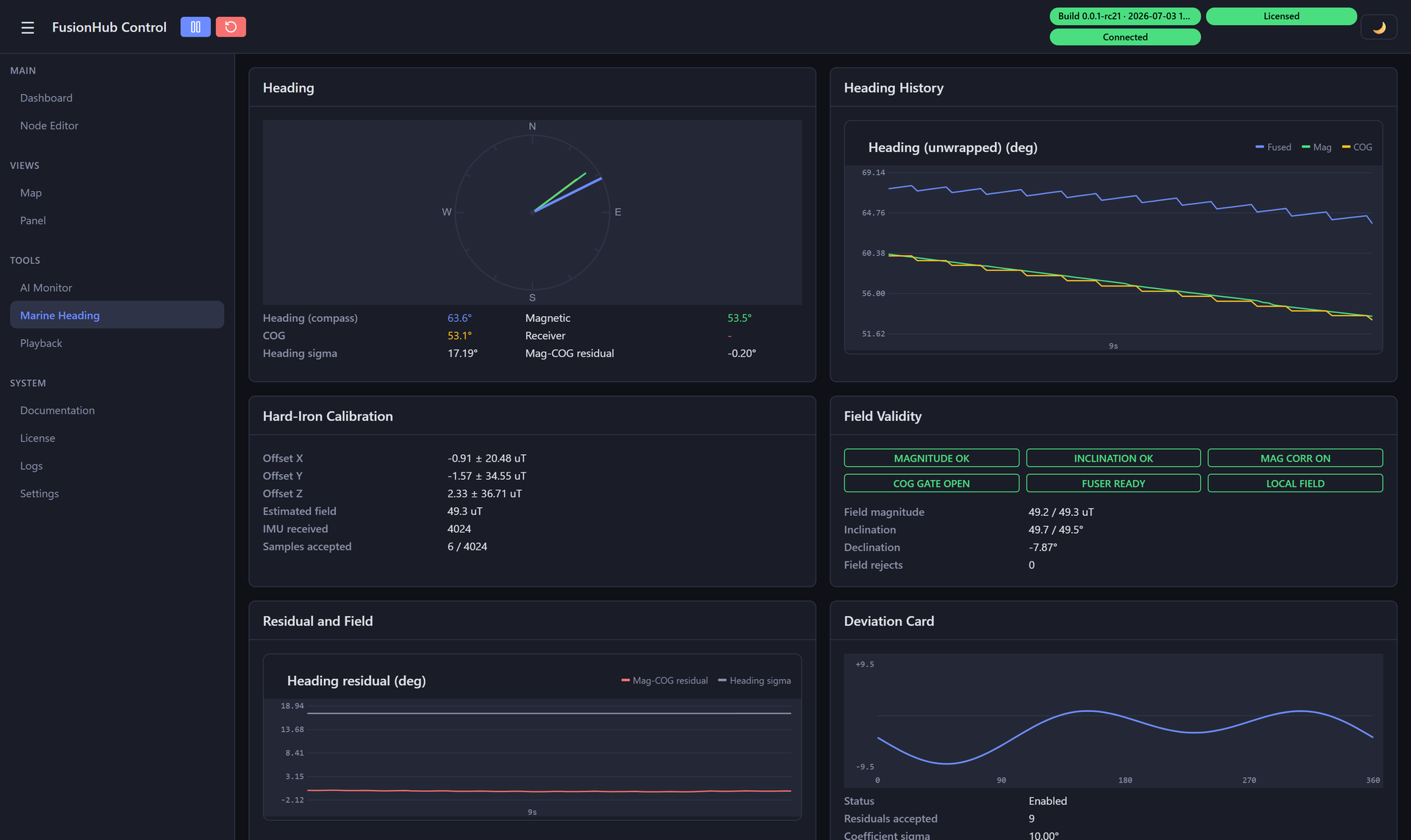
Magnetic heading on the water is hard: steel hulls, electrical loads and turns corrupt the compass, and a manual swing is impractical. The Marine Heading filter fuses gyroscope, accelerometer and magnetometer with GPS course-over-ground - and the vessel’s true-heading feed when available - into a stabilized heading, calibrating hard-iron offset and deviation automatically and gating out magnetic disturbance.
A dedicated page shows the live heading, the health of each input, and the calibration state. Output streams over NMEA to autopilots and chart plotters, over MQTT for shore telemetry, and to the built-in map - a marine-grade heading and position source without a separate INS.
Live Views
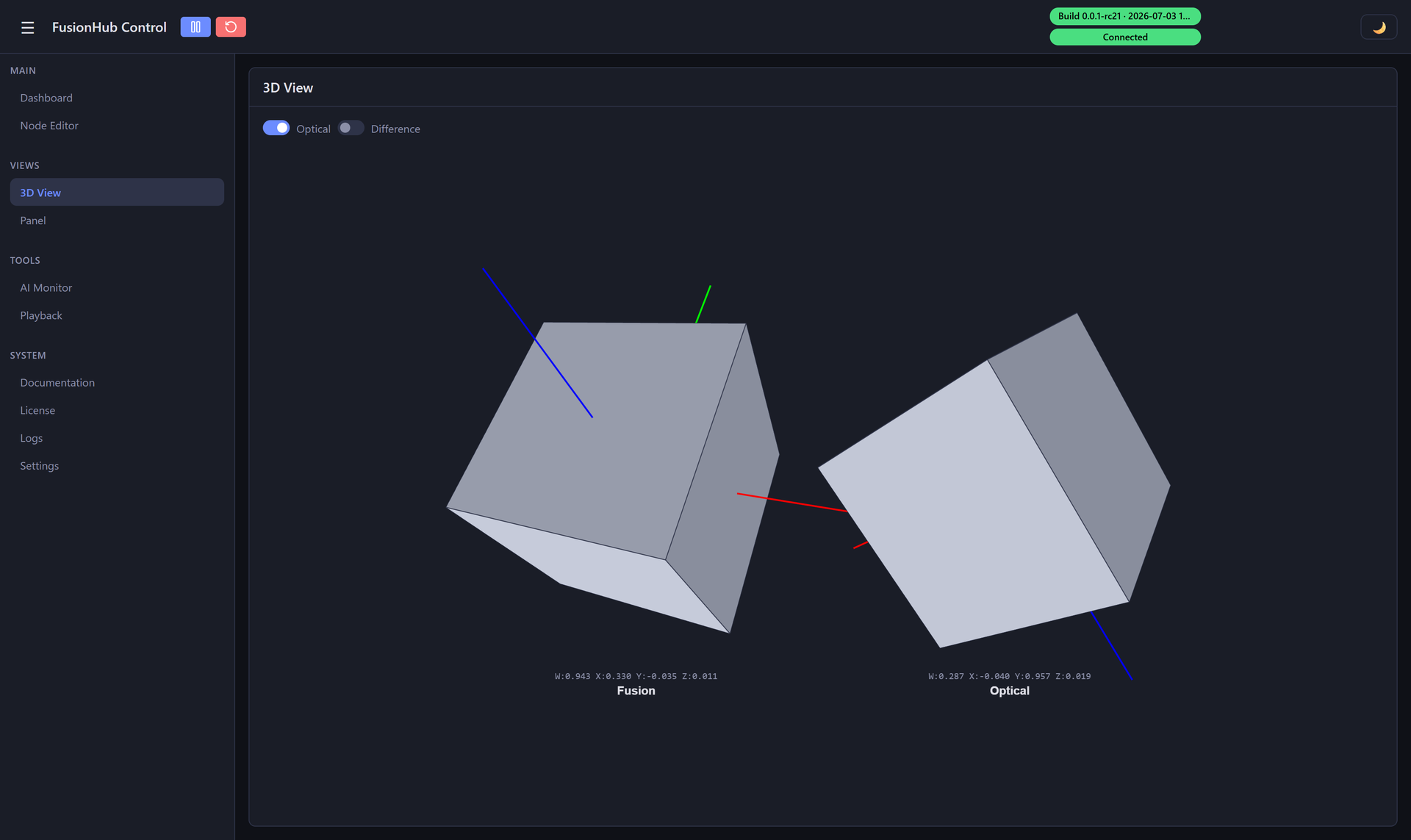
The web UI runs on the device with no separate install. The 3D view renders the fused pose against the reference sensor, so you can watch the fusion track and correct.
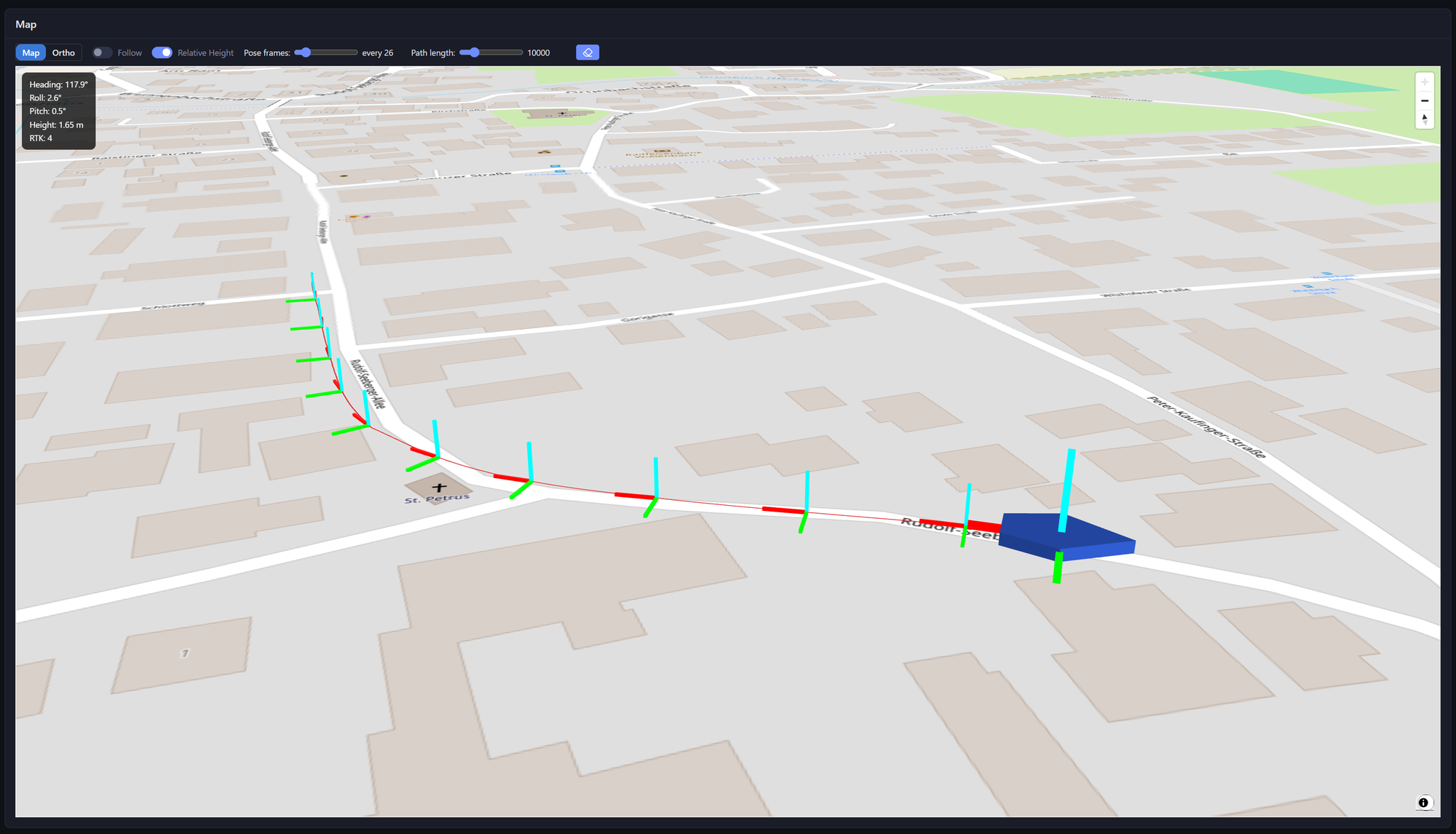
The map view plots the vehicle as a 3-D marker with its driven track, heading and RTK status.
It also hosts a status dashboard, logs, license management, workspace sync, and extension pages that activate with your configuration: calibration, AI Monitor, a script editor, data playback, LPMS configuration and a configurable operator panel.
Supported Sensors and Protocols
Inputs
- IMUs - LP-Research LPMS family (B2, U3, AL3, IG1, IG1P, IG1W, NAV3, CURS3, INC1), HID IMUs, headset IMUs
- GNSS & RTK - NMEA receivers, dual-antenna heading, RTCM correction streams, built-in NTRIP client
- Vehicle & odometry - PEAK and Vector CAN with DBC presets, ELM327 OBD-II, ACT2535 velocity meters, ROS vehicle source
- Optical tracking - ART DTrack, Vicon, OptiTrack, Antilatency, LPVISION, Isaac ROS Visual Odometry
- VR / AR - ALVR (Meta Quest, VIVE Focus Vision, Apple Vision Pro), OpenVR / SteamVR, Xreal
- Generic - MQTT, PX4 DDS, UART, TCP, and file playback
Outputs
- Robotics & standards - ROS 2 publisher, Zenoh/DDS bridge, VRPN, DTrack proxy, PX4 DDS GPS source
- Navigation - NMEA over serial and TCP
- Messaging - MQTT publisher, WebSocket server
- Visualization & recording - 3D view, map view, data monitor, file logger, live oscilloscope
Platform and Licensing
- Operating systems - Windows, Mac and Linux, native single binary, with a headless mode for edge and embedded use.
- Integration - C FFI for embedding in native applications; MCP server for AI-assisted monitoring.
- Extensibility - nodes self-register, so new sources, filters and sinks drop in without changing the core.
- Licensing - feature-gated (vehicular fusion, IMU + optical fusion, differential IMU and more), activated via server, license file or USB token.
In the Field
FusionHub and the underlying LPVR technology run in production across automotive, aerospace, robotics and extended reality:
- AD / ADAS vehicle-in-the-loop with IPG Automotive - a physical vehicle on a real track, synchronized live with CarMaker scenarios. Read more
- In-flight VR pilot training with Canada’s National Research Council - stable head tracking through the vibration and magnetic disturbance of a live helicopter. Read more
- Sub-centimetre SLAM on Meta Quest 3 - visual SLAM fused with an LPMS-CURS3 IMU, validated to sub-centimetre position and 0.45 degree rotation accuracy. Read more
- IMU data in ROS and ROS 2 - a first-party driver streaming orientation, angular velocity and acceleration into mobile robots and AGVs. Read more
See the Use cases page for more, and the FusionHub documentation for node references and setup guides.
Download
FusionHub is a free download for Windows and macOS - no account or license required, with premium fusion features activated per license. Download FusionHub
Get in Touch
Building a ground vehicle, aerial platform or autonomous vessel? We will help you map your sensors and outputs to a FusionHub pipeline on your hardware. Get in touch: Contact